4 Moves to a Working Price Alert: Google, Page Monitors, Brokers

Pick the fastest tool for what you’re tracking: use a retailer’s built-in tracker or Google’s Track price button for a single product, a URL-based page monitor for anything else, and your broker’s app for stocks or crypto. Set a target price or percent drop, turn on push and email notifications, and confirm the alert fires with a quick test. All three routes work in parallel, and most people end up running more than one.
TL;DR:
- Built-in trackers work best for mainstream products on Google Shopping, while URL-based monitors are more reliable for other retail sites with frequent layout changes.
- Setting alerts for stocks and crypto requires using broker apps with native options, typically involving target prices, percent changes, and combined push and email notifications.
- Managing your alerts effectively involves regularly editing thresholds, grouping related alerts, and ensuring your device settings allow notifications to prevent missed signals.
- Cross-retailer AI tools like Aipricesearch provide additional savings and better price comparisons by evaluating multiple sources rather than just one retailer.
- Fix alerts by testing them immediately after setup to ensure they respond to dynamic prices, login walls, or URL mismatches, avoiding missed opportunities or false alarms.
Table of Contents
- Setting Up a Price Alert: The Universal Checklist
- How Do You Set a Price Alert on Google Shopping?
- Using Browser Extensions and Page Monitors for Any Retailer
- Why Amazon and Brand Sites Behave Differently
- Setting Up Stock and Crypto Price Alerts
- Managing, Editing, and Turning Off Alerts
- Fixing Alerts That Don’t Fire
- What AI-Assisted Price Tracking Actually Adds
- When a Simple Alert Beats a Smarter One
- Get More Than an Alert: Compare Prices While You Wait
- Sources
- FAQ
Setting Up a Price Alert: The Universal Checklist
Every alert system, no matter the platform, follows the same basic sequence. Once you know these four moves, you can apply them to Google Shopping, a browser extension, or a brokerage app without relearning the process each time.
- Find the exact page or symbol. Locate the specific product listing or the stock/crypto ticker you want to watch, not a category page or search results list.
- Pick the alert type. Decide if you want a fixed target price, a percent change, or a notification on any price movement at all.
- Choose your notification channel and check frequency. Push notifications are faster; email is easier to search later. Frequency ranges from real-time checks to once-daily scans, depending on the tool.
- Confirm the alert and note where to manage it. Save the alert, then locate the settings menu where you can edit the threshold or delete it later. Most people skip this step and forget where their alerts even live.
That fourth step matters more than it sounds. Alerts pile up fast, and a watchlist with a dozen forgotten thresholds becomes noise instead of signal.
How Do You Set a Price Alert on Google Shopping?
Google’s Track price feature works directly inside Search and Google Shopping results, and it’s the fastest option if the product you want is a mainstream item sold through Google’s shopping listings.
- Search for the product and open its shopping card or the dedicated product page.
- Look for the Track price button, usually near the price or under “Buying options.”
- Tap it, then enter your target price. You can typically select specific variants like color or size before saving.
- Notifications arrive by push (if you have the Google app) and by email, sent once the price drops below your target, according to Google’s own price tracking documentation.
- Availability varies by country and device, so a feature you see on your phone might not show up on desktop, or vice versa.
PCMag confirmed the rollout of this variant-level targeting, which is a real advantage over trackers that only watch the base listing.
Using Browser Extensions and Page Monitors for Any Retailer
Google’s tracker only covers products indexed in a retailer’s built-in tracker or Google’s Track price button for a single product. For everything else, a URL-based page monitor works on nearly any site, since it watches the raw webpage rather than relying on a retailer’s own data feed.
The workflow is consistent across most of these tools:
- Paste the product page URL into the monitoring service.
- Select the price element on the page, or in some tools, draw a screenshot box around it.
- Choose your rule type: alert on any price change, a percent drop, or a specific dollar threshold.
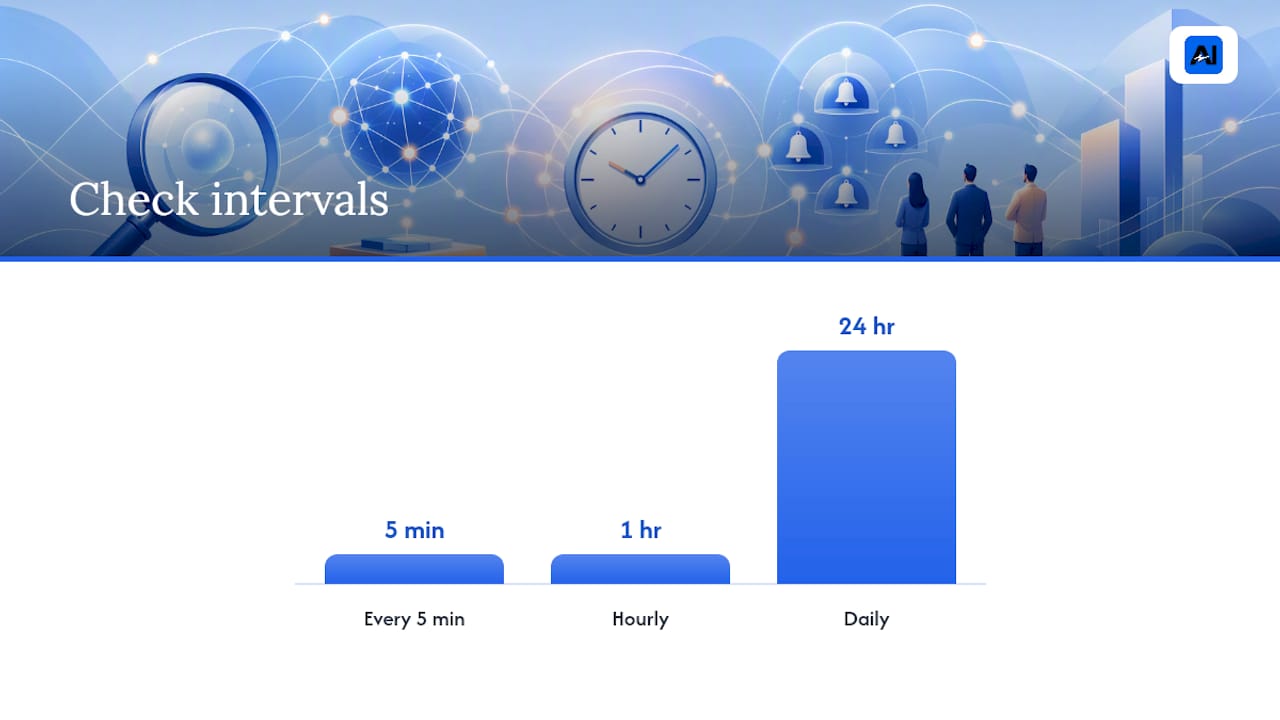
- Set the check interval. Some services scan as often as every five minutes, while others default to hourly or daily.
Free plans typically cap the number of tracked URLs and stretch out check frequency, while paid tiers unlock faster scanning and more simultaneous alerts. Comparisons of these tools show the tradeoff is almost always speed versus cost.
Pro Tip: If a page uses a lot of JavaScript to render its price, a screenshot-based rule catches changes that a text-selector rule misses entirely.
Why Amazon and Brand Sites Behave Differently
Big marketplaces complicate tracking in ways smaller retailers don’t. Amazon in particular rotates pricing based on your account, location, and even browsing history, and its page structure changes often enough to break simple text selectors.
A few practical fixes hold up well:
- Use the canonical product URL rather than a link with tracking parameters or search-result tags attached.
- For items with multiple sizes or colors, track the exact variant URL. The most reliable method is confirming the variant’s SKU in the page markup rather than trusting the visible dropdown.
- For bundles, check whether the tracker is watching the bundle price or a single component. The two rarely match.
- Reserve alerts for prices you actually intend to buy at, and use standalone price history pages when you just want to see whether now is a good time to buy at all.
Setting Up Stock and Crypto Price Alerts
Broker and finance apps handle alerts differently than shopping tools, mostly because prices move continuously instead of dropping once during a sale.
- Open the chart or symbol page for the stock, ETF, or crypto asset you want to watch.
- Tap the bell icon or “Add alert” button, typically near the price chart.
- Choose your rule: price above or below a set number, a percent change, or a 52-week high/low trigger, all of which major broker apps support natively.
- Set your threshold. Percent-based alerts at 5% or 10% cut down on noise for volatile assets, while absolute price alerts work better for stable, slow-moving stocks.
- Enable both push and email delivery if you want a backup in case notifications get missed on your phone.
Percent thresholds beat fixed-price alerts for anything that swings hard in a single day. A crypto asset can blow past a fixed target and back again before you even see the notification.
Managing, Editing, and Turning Off Alerts
Alerts multiply quietly. Six months in, most people have a mix of forgotten thresholds and duplicate watches they never clean up.
- Edit thresholds and swap notification channels directly from the alert’s settings menu on whichever platform created it.
- Check your account-level notification settings, since apps often have a master toggle for push or email that overrides individual alert preferences.
- Group related alerts into watchlists or folders. It’s the easiest way to spot which ones are actually useful versus which ones are just clutter.
- Confirm your device allows notifications from the app. A perfectly configured alert is useless if your phone is silently blocking it.
Fixing Alerts That Don’t Fire
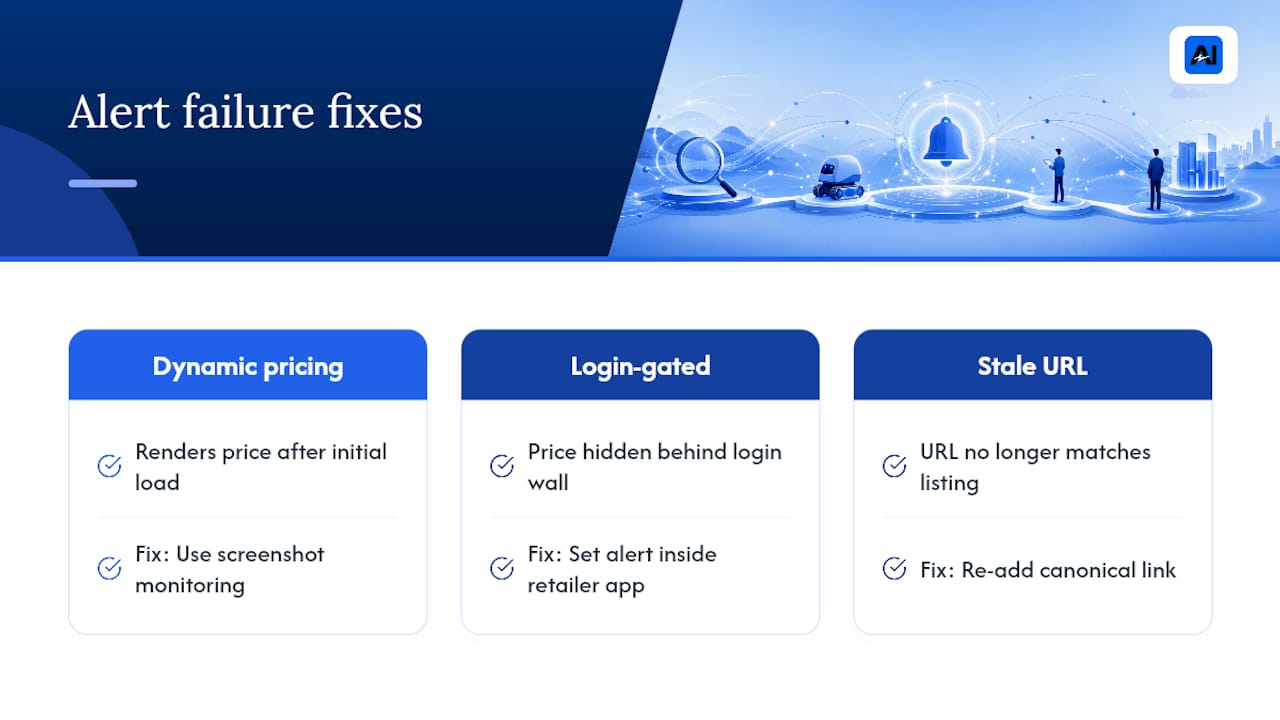
Most alert failures come down to one of three causes: the page renders its price dynamically after the initial load, the price is hidden behind a login wall, or the tool is watching a URL that no longer matches the current listing.
The fix depends on the cause. Dynamic pricing usually needs a screenshot-based tool instead of a text selector. Login-gated prices often require setting the alert from inside the retailer’s own app rather than a third-party monitor. Stale URLs get fixed by re-adding the canonical link.
Pro Tip: Test every new alert immediately after setting it by lowering the threshold above the current price for a moment, confirming the notification arrives, then resetting it to your real target.
What AI-Assisted Price Tracking Actually Adds
Built-in trackers and page monitors both watch one listing at a time. That’s fine until you realize the same product might be $40 cheaper on a different retailer entirely, something a single-page alert will never tell you.
- Aipricesearch reports average savings of $212 per user this month by comparing prices across verified US retailers instead of just one.
- AI-based matching helps rule out false matches, like a similar-looking product with a different spec, which keeps alerts focused on the item you actually want.
- Cross-retailer comparison also surfaces dropship markups, where a listing looks like a deal but is really an inflated resale of a cheaper factory-direct item.
Track two or three items this way for a week and you’ll get a fast read on whether the savings hold up for your own shopping habits.
When a Simple Alert Beats a Smarter One
Built-in trackers are the right call for a single, straightforward purchase, like watching one TV model on one retailer’s site until it hits your number. They’re fast, free, and require zero setup beyond a target price.
Cross-retailer AI tools earn their keep when you’re comparing the same item across multiple sellers or worried about dropship markups inflating a listing. My honest workflow: set a quick native alert for anything simple, and reach for a comparison tool the moment more than one retailer sells the thing you want.
— Timothy
Get More Than an Alert: Compare Prices While You Wait
A single retailer’s tracker tells you when one price drops. Aipricesearch tells you whether that price was ever competitive in the first place, comparing it against verified US retailers and factory-direct sources so you’re not celebrating a discount on an item that’s cheaper somewhere else the whole time.
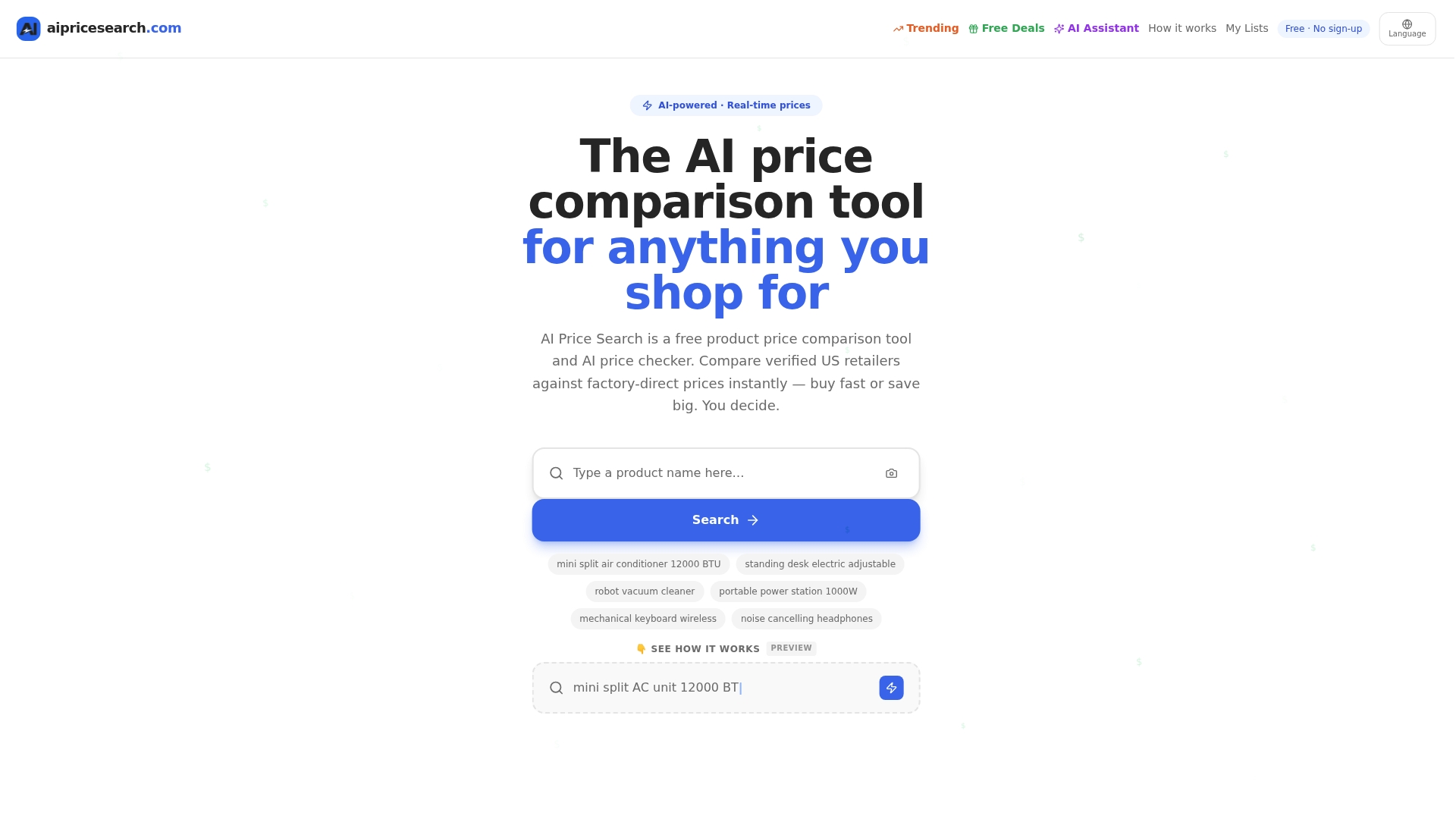
Getting started takes three steps: search for the product or paste its link, add it to a shopping list to track it over time, and enable alerts so you’re notified the moment a better total price, including shipping and tax, shows up anywhere. Users comparing prices this way may see significant savings, though figures vary and current details are on the provider’s site. Head to Aipricesearch and run your first search to see what your regular purchases are really costing you.
Sources
- About price tracking on Google
- Free Price Tracking Tool – Get Alerts When Prices Drop
- Price Drop Tracking Software: 5 Tools Compared (2026)
- Price alerts
- Google Search can now send alerts when products drop to a certain price
FAQ
Can I Set Up a Price Alert on Google?
Yes. Google’s Track price feature lets signed-in users tap “Track price” on a supported product listing, set a target price, and receive push notifications and emails when the price drops below it, according to Google’s official documentation. Availability depends on your country and device.
What Is the Best App for Price Alerts?
There’s no single best app, since built-in trackers like Google’s work well for mainstream products, while URL-based monitors cover retailers Google doesn’t index. For comparing prices across multiple sellers before setting an alert, a tool like Aipricesearch adds cross-retailer verification on top of basic tracking.
Can I Set a Stock Price Alert on My IPhone?
Yes, through your broker’s mobile app rather than the iPhone’s operating system itself. Most broker apps let you tap a bell icon on a stock’s chart page to set price-above, price-below, or percent-change alerts, with common thresholds around 5% or 10%.
Can I Set Price Alerts on Coinbase?
Yes, Coinbase and most major crypto exchange apps support custom price alerts from the asset’s chart page, similar to how stock broker apps handle it. You typically choose a target price or percent-change threshold and enable push notifications so you’re notified the moment the asset crosses it.
How Do I Stop Getting Too Many False Price Alerts?
Switch from “any price change” rules to a specific percent-change or dollar threshold, since vague rules tend to fire on minor fluctuations. Also check that your tracker is watching a stable, canonical product URL rather than one with search parameters that can shift the displayed price.
Recommended
- Google Shopping Comparison
- Yahoo Shopping Comparison
- 225 Product Searches Analyzed Amazon Leads As Cheapest Retailer In 51 Of Cases
- Amazon Vs Walmart Price Leadership Across 182 Weekly Searches
Want to compare offers instantly? Search any product on AI Price Search.
Search a price →