Build a Smart, Shareable Shopping List With AI Tracking

A smart shopping list pairs live price comparisons across retailers with price history and alerts you control, so you buy at a real low instead of a marketing deadline. The fastest way to build one is to start in a comparison tool that supports tracking and sharing rather than a plain notes app. Aipricesearch users reported average savings by doing exactly that.
TL;DR:
A functional smart shopping list includes live price comparisons across multiple retailers, a detailed price history, and configurable alerts for targeted price drops.
It is crucial to verify seller reputation, total costs including shipping and tax, and to confirm prices are recent and accurate before committing to a purchase.
Using price history charts to identify genuine discounts within the last 90 days helps avoid artificial sales and false urgency signals.
Effective list sharing with tags, categories, and notes ensures collaborative decision-making and prevents impulsive buying.
Regularly updating total cost estimates and timing ahead with calendar reminders improves budgeting and ensures timely purchases for seasonal or gift needs.
Table of Contents
-
How Do You Vet a Shopping List Platform Before You Trust the Prices?
-
Publisher perspective: why an AI-assisted list workflow earns its place
What Belongs in a Smart Shopping List?
A list that just holds product names is a wish list. A smart shopping list works because it carries data the item itself doesn’t show you: what it costs elsewhere right now, what it cost last month, and whether the seller is worth trusting.
Building one that actually functions means checking for five things before you add a single item.
-
A price snapshot across retailers. You want to see the same product’s price at multiple stores in one view, not five open browser tabs.
-
A price-history chart with timestamps. A single “was $89, now $59” banner tells you nothing. A 90-day chart with a timestamp tells you whether $59 is a genuine low or the item’s normal resting price.
-
Configurable alerts. Target-price alerts, percent-drop alerts, and back-in-stock alerts each solve a different problem, and a good list lets you set more than one type per item.
-
Seller reliability and total-cost fields. Shipping, tax, and unit price change the real winner more often than people expect, a point the price comparison calculator guide makes directly: sticker price alone is frequently misleading.
-
Shareable and collaborative access, plus export. A list that only you can see is a private notepad. A list a partner or teammate can edit, or that exports to CSV, becomes a shared decision tool.
Miss any of these and the list degrades back into a static wish list you have to manually re-check, which defeats the entire point of building it smart in the first place.
How Do You Build a Smart Shopping List Step by Step?
Building the list is the easy part. Populating it correctly and setting it up to actually notify you at the right moment takes a bit more discipline.
-
Decide the scope first. Separate items you’re tracking now (this week’s real purchase decisions) from items you’re just watching (a wish list for later). Mixing the two buries urgent alerts under noise.
-
Capture the exact variant. Color, size, storage capacity, and bundle contents all affect price. Paste the retailer link, scan the product ID, or use image search to lock in the precise version, not a similar one.
-
Add comparison retailers and turn on snapshots. This is where an aggregate-first search matters. Checking one retailer at a time and remembering prices from memory is how most shoppers overpay, according to the comparison shopping optimization research, which found that combining a comparison engine with a tracking habit consistently outperforms manual tab switching.
-
Set alert thresholds with real rules. Don’t just hit “notify me of any drop.” Pick a target price based on the item’s price history, and choose your channel, email or push, based on how fast you actually check each one.
-
Organize by priority and share. Tag items as urgent, planned, or aspirational, then share the list with whoever else is buying or approving the purchase.
Pro Tip: Set two alerts per item instead of one: a conservative target price you’d be thrilled to hit, and a more aggressive secondary alert just below the 90-day low. The first catches planned buys; the second catches the rare drop you’d otherwise miss entirely.
How Should You Read Price History and Alerts?
A price chart is only useful if you know what you’re looking at. Smarter shoppers glance at the chart behind it first.
The pattern to look for is simple: does the current price sit at or below the lowest point the item has hit in the last 90 days? If yes, that’s a meaningful low worth acting on. If the “sale” price is actually higher than where the item sat two months ago, you’re looking at a manufactured discount, not a real one.
-
If the current price is within 5% of the 90-day low, it’s reasonable to buy now.
-
If the price has only dropped from an inflated “was” price with no real history behind it, wait.
-
If an item has a seasonal pattern (electronics before major sales events, apparel at end-of-season), factor that timing into your target price instead of chasing the first drop you see.
This isn’t just caution for its own sake; using PSP Tools helps maintain persistent price data that counters fake urgency signals. Research on flash-sale tactics found that shoppers consistently overreact to artificial urgency, buying faster and less rationally when a countdown timer or “only 3 left” banner is present, regardless of whether the price is actually good. A persistent price history is the antidote. It’s a record that doesn’t care about the retailer’s countdown clock.
Organizing and Sharing Lists With Others
A list that only lives in your head, or your phone, isn’t much good to the person you’re buying a gift with or the roommate splitting a grocery restock. The format you choose depends on who else needs access and how much control they need.
Two sharing formats cover most situations. A read-only shareable link works well when you just want someone to see options, like sending a partner three couch choices before you commit. An editable shared list works better for ongoing collaboration, like a household restock list or a small team’s procurement tracker where several people are adding and checking off items.
-
Attach a target price and a one-line reason to each item (“waiting for it to drop under $45, birthday gift for Sam”) so context survives even if you forget the details later.
-
Set permission levels so collaborators can add or check off items without accidentally deleting someone else’s entries.
-
Use CSV export when a non-technical collaborator needs the list outside the app entirely, like pasting it into an email or spreadsheet for approval.
-
Match the format to the use case: gift lists favor read-only links, household and team lists favor editable access. Aipricesearch’s list-building and sharing tools support both.
How Do You Vet a Shopping List Platform Before You Trust the Prices?
Not every “lowest price” badge means what it looks like. Before you trust any comparison tool with your buying decisions, run it through a short trust check.
-
Look for an affiliate disclosure. A trustworthy platform tells you plainly when it earns a commission on outbound clicks. If that disclosure is missing or buried, treat the rankings with more skepticism.
-
Confirm the price has a timestamp. A price shown without a “last checked” time is a guess, not data. Good comparison tools display exactly when a price was captured, and make clear that final checkout happens on the merchant’s own site, not inside the comparison tool itself.
-
Check seller reputation and return policy. A lower price from an unfamiliar third-party seller with a vague return window isn’t actually cheaper if the item arrives damaged and unreturnable.
-
Open the retailer’s own checkout before buying. This is the step people skip. Prices, stock levels, shipping costs, and tax can all shift between the comparison snapshot and the actual cart, so the final confirmation always happens on the merchant’s page.
The comparison shopping optimization research calls this “vetting the referee.” A comparison tool is only as trustworthy as its disclosure practices and its data freshness, and both are worth checking before you build your whole list around one platform.
Adding Coupons and Discount Codes Without Losing Track
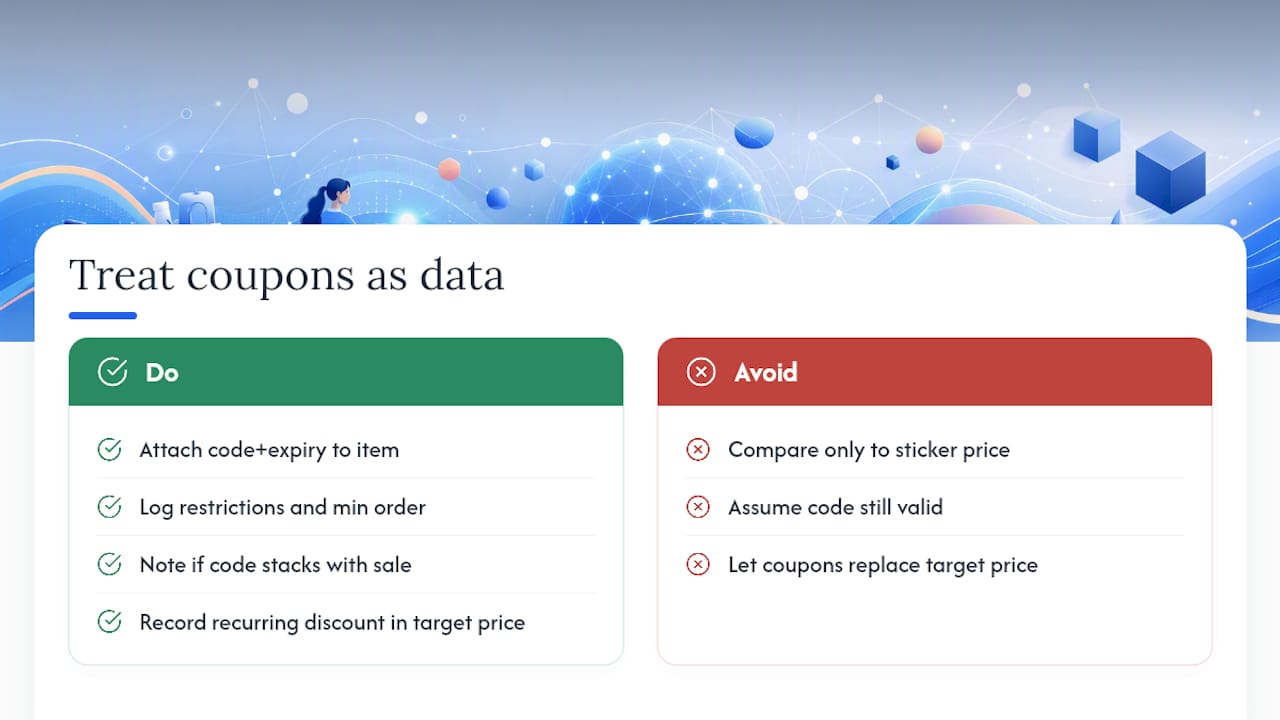
Coupons complicate a smart shopping list because they’re time-sensitive and often stack unpredictably with sale prices. The fix is to treat a code the same way you treat a price alert: as data attached to the item, not a separate thing you have to remember.
When you find a working code, log it directly on the list entry along with its expiration date and any restrictions, like a minimum order size or exclusions on already-discounted items. That turns a scattered pile of promo emails into a single reference point you check right before checkout.
A few habits keep this from turning into a mess. First, note whether a code stacks with the sale price or only applies to full-price items. Second, if a retailer runs recurring codes (a lot of apparel and home-goods brands do), record the typical discount size in your price target instead of waiting for a specific code to reappear. Third, recheck the code at checkout, since expiration dates on promo codes are notoriously unreliable and a code that worked yesterday often fails today.
Codes should factor into your target price, not replace it. If an item’s real 90-day low is $60 before any coupon, and a code brings a $75 sale price down to $63, that’s still worse than waiting for the item to hit its natural low. Compare the coupon-adjusted total against your price history, not against the sticker price alone.
Using Categories and Tags for Better List Organization
A list with thirty items and no structure becomes something you stop opening. Categories and tags fix that by letting you filter the way you actually think about purchases.
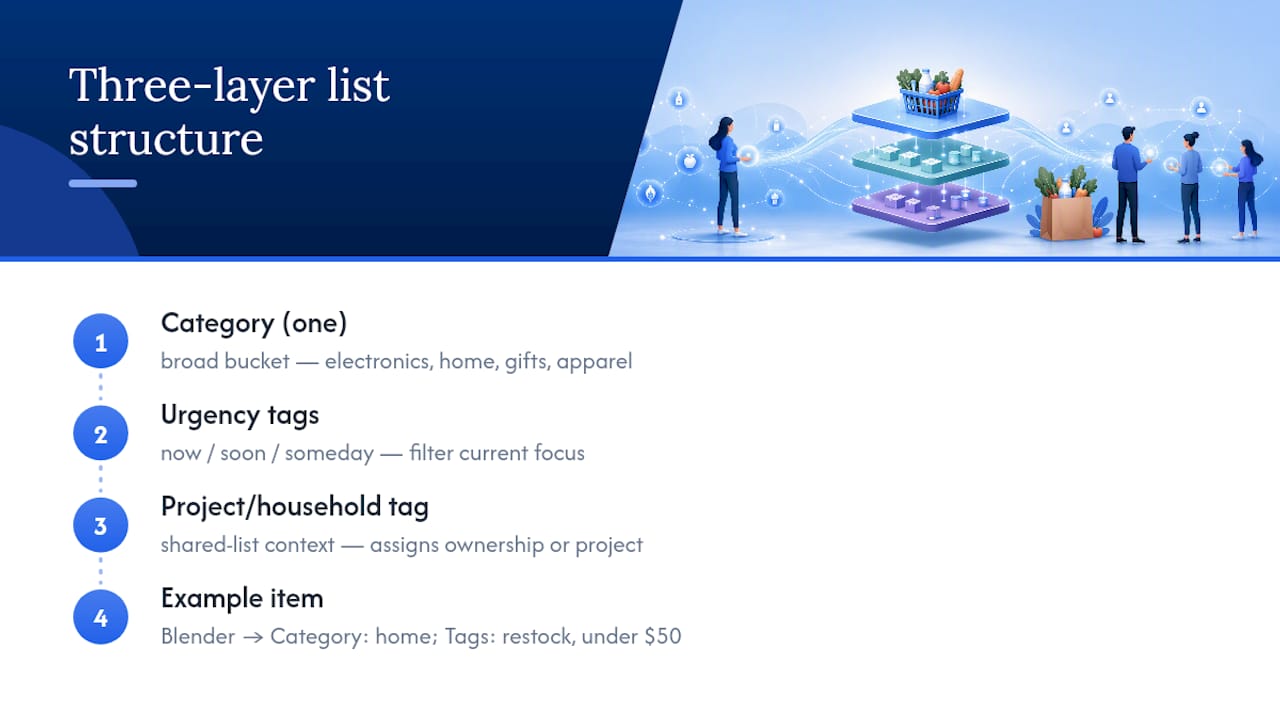
Categories work best as broad buckets: electronics, home, gifts, apparel. Tags work better for cross-cutting labels that don’t fit neatly into one category, like “urgent,” “waiting on price drop,” “birthday,” or “restock.” An item can carry one category and several tags, which is the point. A blender might sit in “home” while also tagged “restock” and “under $50.”
This matters more than it sounds like it should. Once a list passes fifteen or twenty items, an unorganized view forces you to scroll past low-priority browsing items every time you’re trying to check on something urgent. Tags let you filter down to just the things you’re actually deciding on this week, while categories keep the full list navigable when you’re browsing with less urgency.
A practical structure that works for most shoppers: tag by urgency (now, soon, someday), categorize by product type, and add a household or project tag if you’re sharing the list with someone else. That third layer matters more than people expect, since a shared list without a project tag turns into a guessing game about which items belong to which person’s cart.
Estimating Your Total Budget From a Shopping List
A shopping list without a running total is just a collection of individual temptations. The moment you add up what’s actually on it, priorities shift fast.
Start by tagging each item with its most recent tracked price, not its original list price, since that’s the number you’re actually likely to pay if a target alert hits. Add shipping and tax estimates per item rather than assuming they’ll be negligible. On big-ticket items especially, shipping and tax can add meaningfully to the total, and a list that ignores them will consistently undercount your real spend.
Once every item carries a realistic total-cost estimate, sort by priority tag and run a cumulative sum from the top. This tells you exactly where your budget runs out if you’re working with a fixed amount, whether that’s a holiday budget, a monthly discretionary limit, or a project procurement cap. It also exposes the items quietly inflating your total that you’d otherwise never notice sitting individually on a long list.
Revisit the total every time a price alert fires. A dropped price on one item might free up room to move a “someday” item into “now” without increasing what you’d planned to spend overall.
Timing Purchases With Calendar and Reminder Integration
Price alerts tell you when to act. A calendar reminder tells you when to actually look. The two solve different problems, and combining them closes a gap a lot of shoppers don’t realize exists.
Seasonal patterns are the clearest case. Electronics tend to dip around major fall sales events, patio furniture drops in late summer, and holiday decor bottoms out right after the season ends. If you know an item follows a seasonal pattern, set a calendar reminder two to three weeks before the expected dip to double check your target price is still realistic, rather than relying purely on a passive alert that might fire too early or too late.
Reminders also help with gift timing specifically. A birthday or holiday gift needs to arrive by a fixed date, which means your effective deadline for buying is earlier than the actual event, once you account for shipping windows. Set a reminder for that real cutoff date, not the event date itself, so a good price doesn’t tempt you into a purchase that arrives late.
For recurring purchases, like a household staple you restock every few months, a calendar reminder to recheck the list on a fixed cadence beats waiting for a random alert to fire. It keeps the list active instead of letting tracked items go stale.
Avoiding Impulse Buys While You Build the List
The moment you start building a shopping list is often the exact moment you’re most vulnerable to buying something you hadn’t planned to. Browsing for one item surfaces five more, and a “flash sale” badge on any of them can override the entire plan you walked in with.
A few habits help keep list building from turning into impulse shopping. Set a rule that anything you find while browsing goes onto the list first, tagged as “someday” or “unreviewed,” rather than straight into a cart. That single pause point catches a surprising share of purchases that wouldn’t survive a day’s reconsideration.
Check the price history before you check the sale badge. A discount that looks urgent stops looking urgent the moment you see the item sold for less two months ago, and that comparison takes seconds if the history is already sitting on your list. This is the same principle behind the artificial-urgency research cited earlier: the countdown timer is designed to short-circuit exactly the comparison a price history chart makes automatic.
Finally, review the “now” section of your list before adding anything new to it. If an item doesn’t clearly outrank what’s already tagged urgent, it probably belongs in “someday” instead. A well-tagged list makes that judgment obvious instead of requiring willpower every single time.
Publisher perspective: why an AI-assisted list workflow earns its place
Most advice about shopping lists treats them as static, a place to park intentions. That’s backwards. A list only earns the word “smart” when it’s doing work while you’re not looking at it, checking prices, logging history, waiting to notify you.
What convinced us this matters isn’t theory. Aipricesearch’s own analysis of 225 product searches found one retailer came out cheapest in just over half of cases, which means the other half of the time, the obvious first stop wasn’t the best deal. That’s the exact blind spot a manually maintained list can’t catch and an automated one exists to close. Combined with reported average savings from using comparison software, the case for letting software carry the comparison burden is hard to argue against.
Try building one list this way and compare the outcome against how you’ve shopped before. The gap tends to show up faster than people expect.
— Timothy
Build Your Smart Shopping List With Aipricesearch
Some platforms turn everything covered above into one workflow instead of five separate habits. They pull live price comparisons across verified retailers, track price history to spot a genuine 90-day low, and flag dropship markups that inflate a price without adding any real value. Every alert type covered here, target price, percent drop, back-in-stock, runs inside the same list you can share as an editable collaboration or a read-only link.
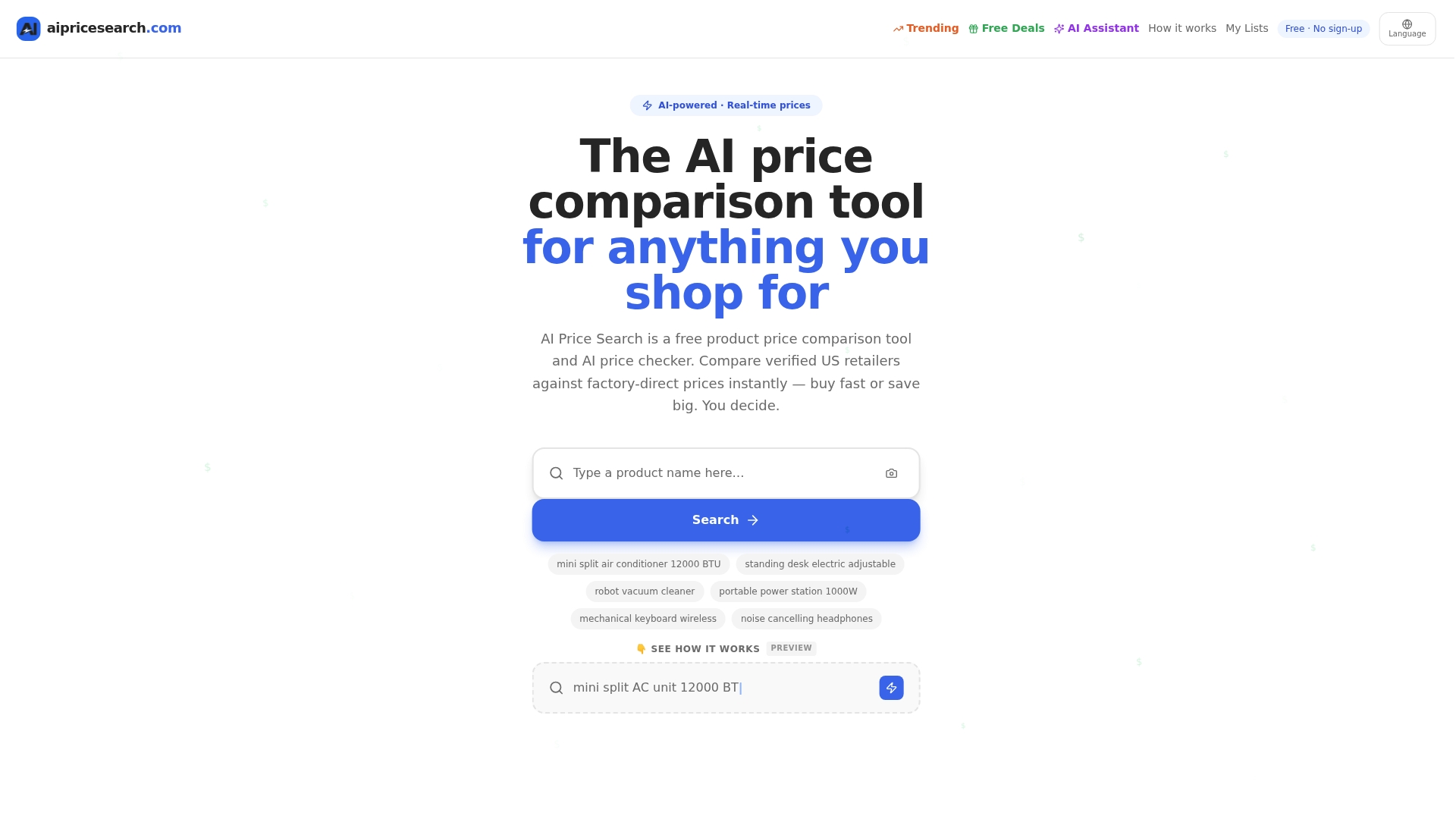
Reported savings data suggests users can save significant amounts by letting a price comparison and tracking tool handle comparison instead of doing it tab by tab. If you’re deciding between Aipricesearch and a general aggregator, the comparison against Google Shopping breaks down exactly where the list-building and alert features differ. Start your first list at Aipricesearch and see how many of your tracked items are already sitting above their real 90-day low.
Sources
Recommended
-
August Price Tracker Amazon Leads In Value Across 153 Shopper Queries
-
Retailer Price Wars Aliexpress And Amazon Split The Lead In 184 Consumer Searches
-
Amazon Vs Walmart Price Leadership Across 182 Weekly Searches
Want to compare offers instantly? Search any product on AI Price Search.
Search a price →