US Shoppers: Compare Retailers First With Price Tracking vs Alerts

Use price tracking when you can wait for a better deal and price alerts when you need to buy soon or confirm today’s price is fair. Tracking builds a price history you can study before committing; alerts just tell you something changed. The smartest shoppers do both: compare prices right now, then keep tracking in case the item drops further after purchase timing allows.
TL;DR:
- Tracking builds a detailed price history over time, which helps confirm whether current discounts are genuinely low or just look that way.
- Price alerts notify you immediately when a set threshold is crossed but have blind spots including dynamic pricing, variant mismatches, and short-term sales.
- Combining both tools and cross-retailer comparison maximizes savings, especially for big-ticket items with long sales cycles.
- Setting realistic target and ceiling prices, adjusting check frequency based on product type, and verifying all costs before buying improves success.
- Most shoppers save more by actively comparing prices across multiple retailers at the moment they’re ready to purchase rather than relying solely on alerts or tracking.
Table of Contents
- Price Tracking vs Alerts: How Each One Actually Works
- Comparing Outcomes: Which Approach Wins for Which Shopper
- Setting Targets That Don’t Drown You in Noise
- What Our Own Numbers Say About Where Savings Actually Come From
- Do Budgeting Apps Play Nice With Price Trackers?
- Is It Safe to Hand Over Your Shopping Data for Alerts?
- The Real Skill Isn’t Tracking or Alerts. It’s Knowing When to Stop Waiting
- How Aipricesearch Fits Into Your Price Tracking and Alerts Routine
- Sources
Price Tracking vs Alerts: How Each One Actually Works
Price tracking works by taking repeated snapshots of a product’s price over days or weeks and stitching them into a price history chart. You set a target price, the tool checks the listing on a schedule, and you can look back to see whether today’s price is actually low or just looks that way. The snapshot process itself depends heavily on how often the tool checks. A tracker that scans once a day will miss a flash sale that lasted six hours.
Price alerts work differently. Instead of building a history, they watch for one specific event: a price crossing a threshold you set, often a percentage drop or a dollar amount, and fire off a notification the moment it happens. Google Shopping’s Track Price feature is the mainstream example: sign in, set a target, and Google emails or pushes a notification when the price hits it. It’s fast, but it’s a one-off signal, not a trend line.
Both approaches share the same blind spots:
- Dynamic pricing means the price you see can shift based on your location, device, or browsing history, not just supply and demand.
- Variant mismatches happen when a tracker follows the wrong color, size, or bundle and reports a “drop” that doesn’t apply to the item you actually want.
- Check frequency delays mean short sales, doorbusters, and coupon-stacked discounts often come and go before the next scheduled check.
- Hidden discounts like membership pricing or one-time promo codes rarely show up in either system because they aren’t part of the sticker price.
An alert firing doesn’t mean “buy now.” It means “go check the total cost.” That distinction is the whole game.
Comparing Outcomes: Which Approach Wins for Which Shopper
Neither tool is universally better. The right pick depends on how much time you have and how the price actually behaves for that category of product.
| Factor | Price tracking | Price alerts |
|---|---|---|
| Best for | Items you can wait weeks on (furniture, appliances) | Items with a deadline (gifts, event tickets) |
| Effort required | Low once set; you check the chart occasionally | Very low; the notification does the work |
| Typical savings profile | Larger drops over longer windows | Smaller, faster drops tied to sales events |
| Notification style | Optional digest or chart review | Immediate push or email |
| Data depth | Full price history | One-off snapshot at trigger time |
| Coverage | Often limited to supported retailers | Same, but usually faster to react |
Three quick scenarios show how this plays out. Buying a holiday gift six weeks out? Set a tracker and let the history tell you when the price is genuinely low, not just discounted-sounding. Need a replacement laptop charger today because yours just died? Skip tracking entirely, compare prices across a few retailers right now, and buy. Eyeing a big-ticket item like a mattress or a TV? Combine both: compare current listings for a baseline, then track for 2 to 3 weeks since these categories see deep sales cycles tied to holidays.
Pro Tip: Set your tracker’s threshold a little above what you’d consider a “great deal,” not right at it. That gives you a buffer against dynamic pricing swings and means an alert firing is actually meaningful, not just noise.
Three mistakes ruin this system for most shoppers:
- Chasing tiny percentage dips. A 3% drop on a $20 item saves you sixty cents, not a windfall.
- Ignoring shipping and coupons. A price alert only tracks the listed price, not the total you’ll actually pay at checkout.
- Treating the first alert as final. Prices bounce. The first drop is rarely the lowest one, especially close to major sales events.
Setting Targets That Don’t Drown You in Noise
Start by naming your urgency level honestly: buy now, buy soon, or can wait. That single decision determines almost every setting that follows.
If you can wait, set a target price (what you’d love to pay) and a ceiling price (the most you’ll accept) with real distance between them. If you need to buy soon, skip the wide range and set the ceiling close to today’s price. You’re not hunting for a discount at that point. You’re confirming you’re not overpaying.
Match check frequency to the product category:
- Hourly checks for flash sales and limited-drop items where timing is everything.
- Daily checks for electronics and mid-range purchases, where prices shift with inventory and competitor moves.
- Weekly checks for furniture, appliances, and anything with a slow sales cycle.
Either way, set a minimum drop that’s actually worth an interruption. A $2 change on a $150 item isn’t a notification, it’s clutter.
When an alert actually fires, run through this before clicking buy: confirm the seller is reliable, check shipping cost, factor in your local sales tax, verify any coupon code still works, and check whether the price requires a membership you don’t have. Retailers reprice constantly based on inventory and competitor moves, which is exactly why the alert is a starting point, not a green light.
One habit separates people who save real money from people who just get a lot of notifications: reviewing and adjusting thresholds after seeing a few weeks of price history, instead of setting it once and forgetting it.
What Our Own Numbers Say About Where Savings Actually Come From
Users of a price comparison tool have reportedly saved an average amount this month by comparing prices across verified retailers before buying, which tells you something the tracking-versus-alerts debate often misses: the biggest single savings lever isn’t waiting longer, it’s checking more places at the moment you’re ready to buy.
An internal review of 225 product searches found Amazon was the cheapest retailer in 51% of cases, meaning it lost the price race nearly half the time. That’s a strong argument for cross-retailer comparison as step one, before you ever set a single tracker or alert.
Here’s how that maps onto the workflow already covered:
- Compare across retailers first to establish your real baseline, not just one store’s price.
- Set a tracker on the item once you’ve confirmed it’s not urgent, using the target and ceiling approach from the section above.
- Use the Dropship Detector to confirm a suspiciously low price isn’t a markup wrapped around a cheaper factory-direct listing.
- Treat any alert as a prompt to re-run the comparison, not a final verdict.
Do Budgeting Apps Play Nice With Price Trackers?
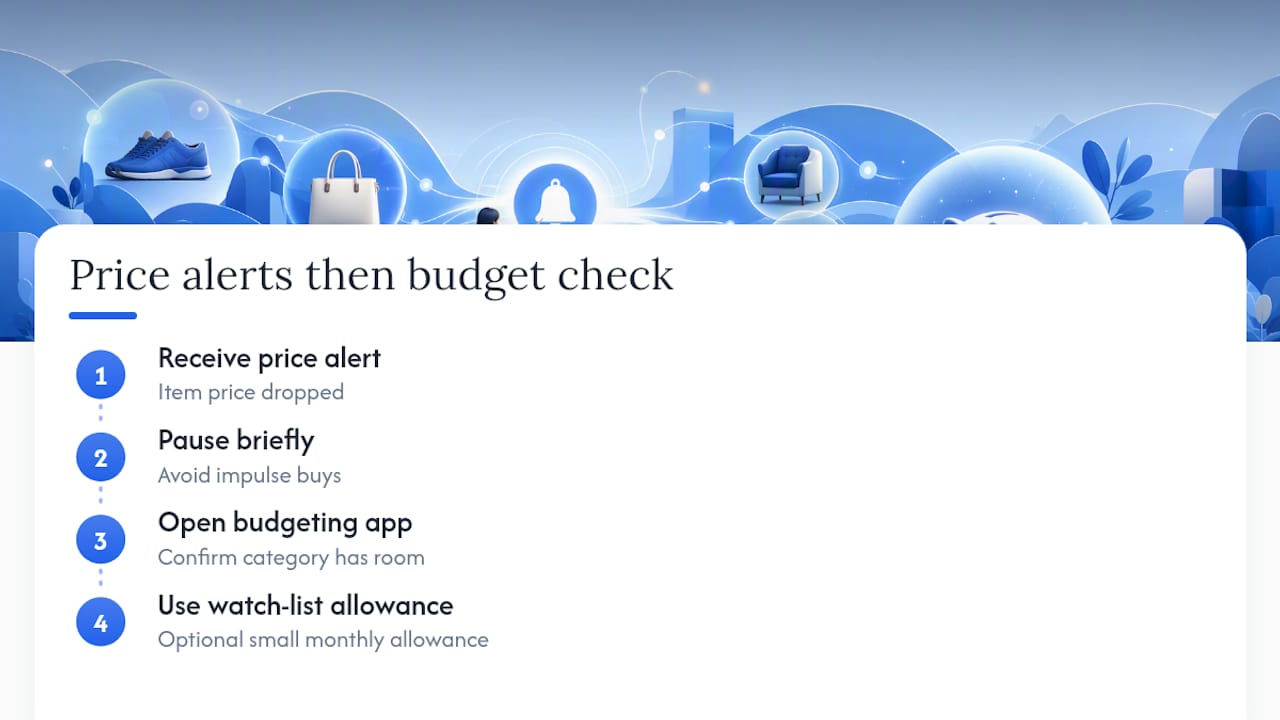
Most budgeting apps don’t talk directly to price trackers or shopping alerts, and that gap causes real friction. You get a notification that a jacket dropped $20, but your budgeting app has no idea that purchase fits (or blows) this month’s clothing category until after you’ve already bought it.
The workaround is simpler than it sounds. Treat price alerts as a “should I buy” signal and your budgeting app as the “can I buy” check, run in that order every time. Before acting on a drop, open your budgeting app and confirm the category has room. Some shoppers keep a standing “watch list” category with a small monthly allowance specifically for tracked items that might hit target price, so a good deal doesn’t quietly wreck a grocery or gas budget.
A handful of newer shopping and finance apps are starting to add price history or alert integrations directly, but coverage is inconsistent across retailers and categories. Until that becomes standard, the manual two-step check works fine and takes fifteen seconds. It also forces a pause between “notification fired” and “money spent,” which cuts down on impulse buys triggered by nothing more than a subject line that says “Price Drop.”
Is It Safe to Hand Over Your Shopping Data for Alerts?
Price trackers and alert tools need some access to function, and that access varies widely by tool type. Browser extensions typically request permission to read the pages you visit so they can detect prices, which means they can technically see more browsing activity than just the product pages you care about. Some extension-based trackers store price history locally on your device, while others sync to an account in the cloud, and that distinction matters for how exposed your shopping habits are if a service gets breached.
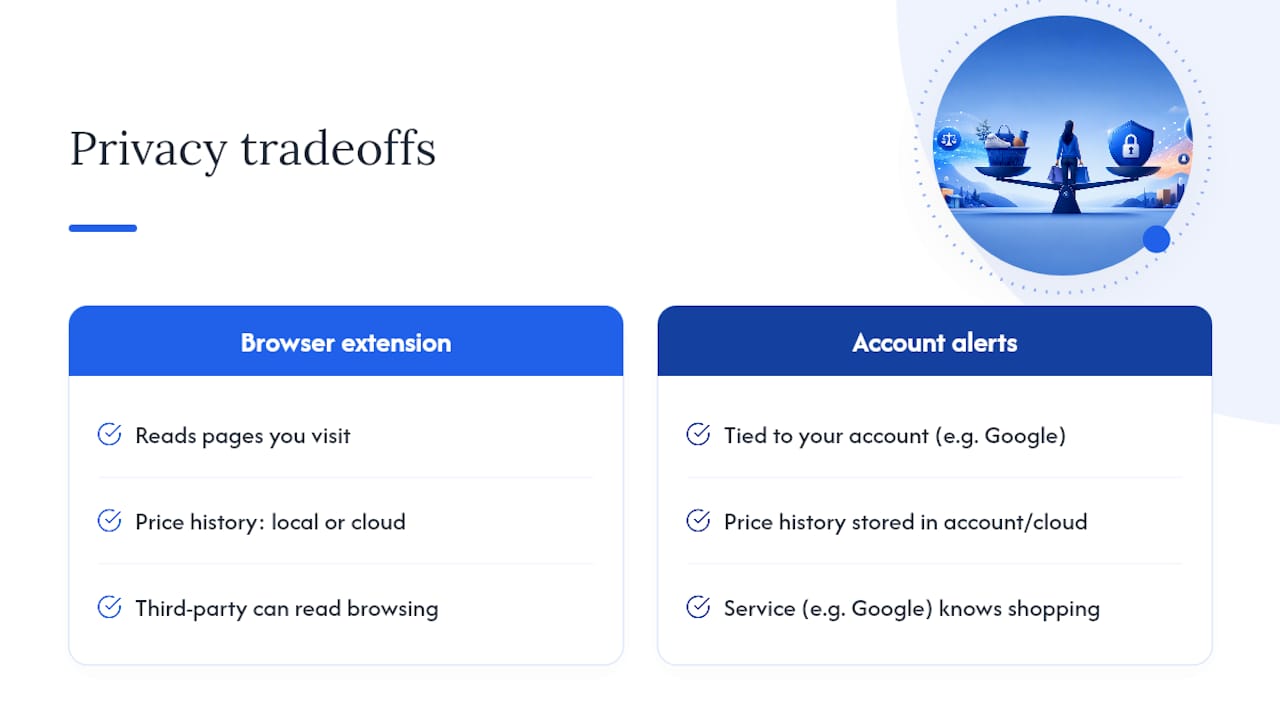
Before installing anything, check three things: what permissions the extension requests, whether it stores data locally or in the cloud, and whether it has a clear privacy policy explaining what it does with your browsing history. A tracker that asks for broad permissions across every site you visit, when it only needs to watch a handful of product pages, is worth a second look.
Account-based tools like Google’s Track Price feature tie alerts to your Google account rather than a browser extension, which shifts the privacy tradeoff toward “Google knows what you’re shopping for” instead of “a third-party extension can read your browsing.” Neither is inherently wrong, but they’re different tradeoffs. Read the permission prompt before you click accept, not after something feels off.
The Real Skill Isn’t Tracking or Alerts. It’s Knowing When to Stop Waiting
Most shoppers treat price tracking and price alerts as competing tools when they’re really two halves of the same habit. The people who consistently save money aren’t the ones with the most notifications turned on. They’re the ones who compare prices at the moment of intent, set a realistic target instead of a fantasy one, and treat every alert as a reason to double check total cost rather than a reason to click “buy” immediately.
If you want a version of this you can actually copy today, here it is:
- Pick the item and compare its price across a few retailers right now for a baseline.
- Set a target price and a ceiling price based on how urgently you need it.
- Choose check frequency by category: hourly for flash sales, daily for electronics, weekly for furniture.
- When an alert fires, verify seller, shipping, tax, and coupon status before buying.
- Buy once the offer meets your criteria, not the second a notification appears.
— Timothy
How Aipricesearch Fits Into Your Price Tracking and Alerts Routine
Aipricesearch skips the step most alert tools skip: it doesn’t just tell you a price moved, it shows you where the same item is cheaper right now, across verified US retailers and factory-direct sources, before you ever set a tracker. That matters given how often the “big name” retailer isn’t actually the cheapest one on a given day.
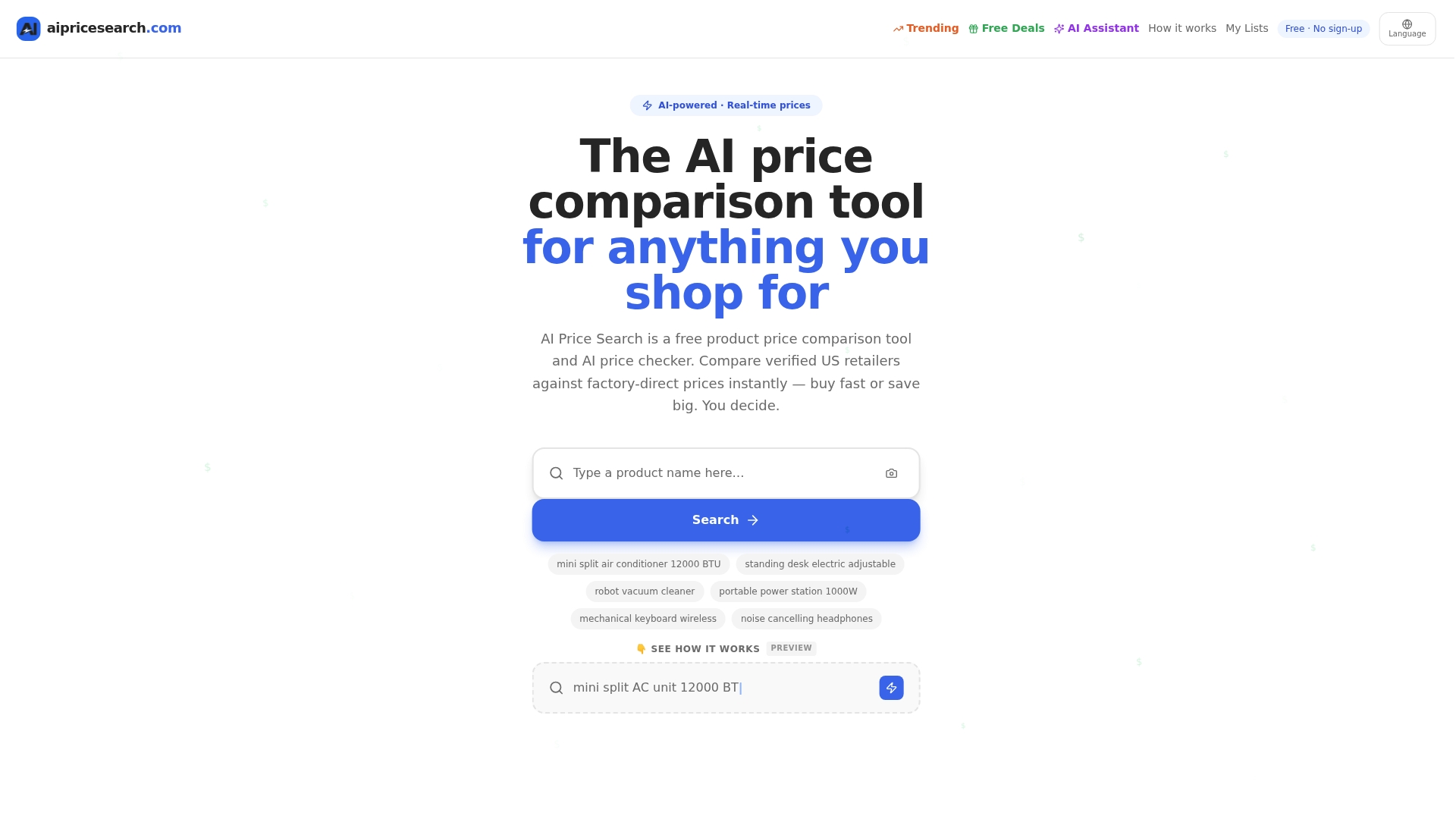
The workflow lines up directly with everything covered above. Run your comparison first to establish a real baseline instead of guessing. Use the built-in Dropship Detector to catch inflated markups hiding behind a suspiciously appealing price. Then set tracking on anything that isn’t urgent, so you catch further drops without babysitting a dozen browser tabs. If you’re weighing this against tools like Google Shopping or Yahoo Shopping, the difference comes down to breadth: more verified sources checked at once, before you commit to a single retailer’s alert system. Head to Aipricesearch and run your next product search before you set a single alert.
Sources
- About price tracking on Google
- How Price Tracking Tools Work: A Guide for Online Shoppers
- CBS News coverage of dynamic pricing and retail price fluctuations
Recommended
- Yahoo Shopping Comparison
- Google Shopping Comparison
- Amazon Vs Walmart Price Leadership Across 182 Weekly Searches
- Retailer Price Wars Aliexpress And Amazon Split The Lead In 184 Consumer Searches
Want to compare offers instantly? Search any product on AI Price Search.
Search a price →