Track Prices Across Stores: FTC Cost Formula & Tools for U.S. Shoppers
September 28, 2026

Track Prices Across Stores: FTC Cost Formula & Tools for U.S. Shoppers
Use a URL or watchlist price tracker, or a browser extension, paired with an effective-cost check, to monitor prices across stores and get alerts when the real total price drops below your target. This combination catches sales automatically, cuts down on missed markdowns, and forces a true comparison instead of one based on sticker price alone.
TL;DR:
- Cross-store price comparison often reveals that nearly half of the time, the lowest price appears at different retailers rather than a single site.
- Effective cost calculations should include item price, shipping, fees, tax, and subtract discounts or cashback, with checkout and tax verified before purchase.
- Trigger-based alerts are the most efficient way to catch deals, especially during flash sales, while hourly or minute checks are best reserved for short-lived promotions.
- Using precise product identifiers like model numbers and confirming matches with images reduces false alerts and improves savings accuracy.
- Building a multi-seller watchlist with specific URLs, price targets, and regular testing enhances deal tracking reliability over generic or broad searches.
Table of Contents
- Which type of price tracker fits your shopping style
- Building a cross-store watchlist that actually works
- Comparing the real total cost, not just the sticker price
- How often to check prices without drowning in alerts
- Why the price you see may not be the price everyone sees
- What multi-store comparisons reveal in practice
- Practical lessons from building trackers
- A ready-made option if you’d rather skip the setup
- Where to go for official guidance
- Sources
- FAQ
Which type of price tracker fits your shopping style
Not every tracker fits every shopper. Browser extensions like coupon and price-alert add-ons sit in your toolbar and flag price drops or coupon codes while you browse, which works well for occasional purchases but rarely covers every store you care about.
URL or watchlist services take a different approach: you paste in product links from several sellers, and the service polls those pages on a schedule, notifying you when any of them hits your target. This suits shoppers comparing the same item across three or four retailers at once.
Page monitors, scraping scripts, and no-code templates (built in tools like Google Sheets with IMPORTXML, or low-code platforms) give power users control over check frequency and data fields, at the cost of setup time.
Community deal trackers and aggregator feeds surface deals other shoppers have already found, though prices and stock should always be confirmed on the retailer’s own page before buying.
- Casual shoppers: a browser extension covers most needs with minimal setup.
- Frequent comparison shoppers: a URL/watchlist service tracks multiple sellers for the same item.
- Power users: scripts or no-code templates offer full control over fields and cadence.
Building a cross-store watchlist that actually works
A watchlist only works if it tracks the same product everywhere, not a similar one. Here’s how to set it up without chasing false matches.
- Pin down the exact identifier: use the model number, UPC, or exact variant (color, storage size, region) rather than a generic product name.
- Add every seller URL you want tracked, and when listings look different across stores, confirm the match with an image search before adding it.
- Tag each entry by seller type, marketplace listing versus direct retailer, since return policies and pricing behavior differ between them.
- Set a target price and pick an alert channel, whether email, push notification, or text.
- Choose a check cadence: daily checks suit most purchases, while hourly or minute-level monitoring matters more during flash sales or launch windows.
- Test each entry right after adding it to confirm the tracker pulls the correct price, not one for a refurbished unit, a bundle, or a different regional SKU.
- Export or sync your watchlist if you’re tracking more than a handful of items, so it’s searchable and doesn’t live only in your inbox.
Pro Tip: Rename each watchlist entry with the model number up front, so a quick scan of your list tells you exactly what you’re tracking without opening each link.
Comparing the real total cost, not just the sticker price
The lowest listed price isn’t always the lowest cost. The FTC’s guidance on hidden costs lays out the formula worth using every time: effective cost equals item price plus shipping plus fees plus tax, minus discounts and cashback.
Effective cost = item price + shipping + fees + tax − (discounts + cashback). This single formula, backed directly by federal guidance, is the difference between comparing headline prices and comparing what actually leaves your account.

Shipping and handling fees usually appear at checkout, not on the product page, so add an item to your cart before judging a deal. Estimate sales tax based on your shipping address if it isn’t shown up front. Apply coupon codes before the final total, and only count cashback once you’ve confirmed the program actually pays out reliably, since a fine-print exclusion can quietly change the math.
How often to check prices without drowning in alerts
Checking too rarely means missing sales; checking too often means noise. Daily checks work for most seasonal discounts and everyday comparison shopping. Trigger-based alerts, which fire only when a price crosses your target, cut down on unnecessary notifications entirely.
Minute-level or hourly monitoring earns its keep during flash sales, since volatile, short-lived markdowns can disappear before a once-daily check ever catches them. Outside of those windows, that same cadence mostly generates fatigue.
- Use trigger-based alerts as your default so you only hear from the tracker when your target price is actually hit.
- Reserve hourly or minute-level checks for known flash-sale windows or product launches.
- Batch non-urgent alerts into a daily digest instead of letting every price tick interrupt your day.
- Revisit your thresholds after a few weeks, tightening or loosening the target price based on what you’re actually seeing.
Why the price you see may not be the price everyone sees
Personalized pricing means two shoppers can see different prices for the identical item, based on browsing history, device, location, or account status. That matters directly for cross-store comparisons: a price that looks like the best deal on your screen might not be available to anyone else.
The FTC’s enforcement policy statement on personalized pricing flags the consumer harm that can result when this practice isn’t clearly disclosed. To reduce its effect on your comparisons, check prices in a private or incognito window, consider a VPN, and compare across more than one device or account when a deal seems unusually good. Clearing cookies between checks helps too. Once you’ve confirmed a price is genuine, cross-reference the seller’s reliability and return policy, since the FTC’s online shopping guidance treats those factors as part of the real cost of a purchase.

What multi-store comparisons reveal in practice
Watching prices across sellers rather than trusting one listing tends to pay off. An analysis of 225 product searches found the largest marketplace came out cheapest in 51% of cases, meaning nearly half the time a different retailer had the better price. Notable average savings per user this month have been reported by this type of service, based on the effective-cost approach described above: total landed price, not headline price, decides the winner.
The takeaway for readers building their own watchlists is straightforward: check more than one seller, every time, because the cheapest option shifts often enough that assuming one retailer always wins will cost you.
Practical lessons from building trackers
The single biggest improvement to my own tracking setup wasn’t a fancier tool, it was tightening identifiers. Early watchlists mixed up bundle listings with standalone items, which produced alerts for prices I could never actually get. Once I matched by exact model number and confirmed with image search, false alerts dropped and the real savings started showing up. Start with the checklist above, and tighten your identifiers before you add more sellers.
— Timothy
A ready-made option if you’d rather skip the setup
Building watchlists, checking identifiers, and calculating effective cost by hand works, but it takes time most shoppers don’t have to spare. A specialized price comparison platform handles that job directly: it compares prices from verified retailers and factory-direct sources, flags dropship markups, and ranks results by total cost, including shipping and tax, so you’re not left running the formula yourself.
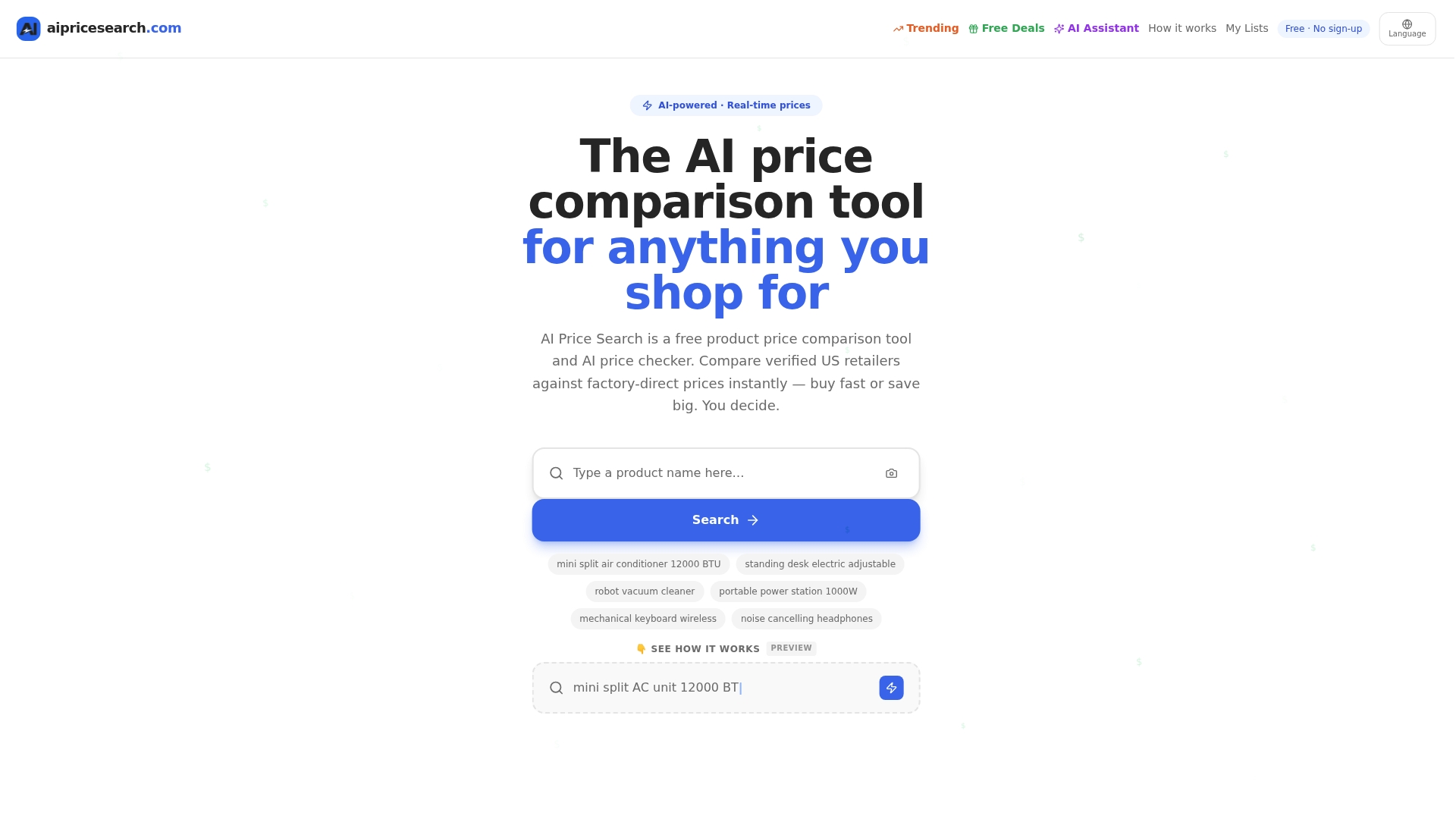
The platform also supports search by photo or by URL, which solves the exact matching problem covered in the watchlist section above, and its shopping lists feature lets you track multiple items in one place instead of juggling separate browser tabs. If you want the DIY route, the checklist earlier in this article will get you there. If you’d rather have the comparison done for you, try AI Price Search and start with a product you’re already watching.
Where to go for official guidance
For the source material behind this article: the FTC’s online shopping guidance covers return policies and total cost, while PCPartPicker’s price trend tool shows how historical data reveals genuine sales versus pricing errors.
Sources
FAQ
What app can I use to track prices at stores?
Browser extensions and URL/watchlist services are the two most common app types, letting you monitor a product across several retailers at once. AI Price Search offers an AI shopping assistant that builds watchlists and sends alerts from a single search.
What app can I use to compare prices between different stores?
Tools that pull listings from multiple retailers and rank them by total landed cost, including shipping and tax, work best for true comparisons rather than headline price alone. Some comparison tools compare prices from verified retailers and factory-direct sources and rank results by that same effective cost.
Is there a website that tracks the price of items?
Yes, sites like PCPartPicker’s price monitor track historical price trends for certain product categories, showing when a current price is genuinely low versus an average dip. General price tracking tools extend this idea across broader product types with alerts and watchlists.
Can Google track prices of items?
Google Shopping surfaces current listings and some price history for products, but it doesn’t build a personal cross-store watchlist with custom alerts the way a dedicated tracker does. For ongoing monitoring with alerts tied to a target price, a watchlist service or browser extension fills that gap.
How do I know if a low price is a pricing mistake or a real sale?
Historical price trend data helps here: if a price sits well below its typical range shown on a trend tracker, it may be a genuine sale or a merchant error, and either way it’s worth verifying stock and seller reliability before buying. Checking the seller’s return policy adds another layer of protection if the order turns out to be a mistake.