Shop by Photo, Then Let AI Price Search Find the Best US Price
August 29, 2026
Shop by Photo, Then Let AI Price Search Find the Best US Price
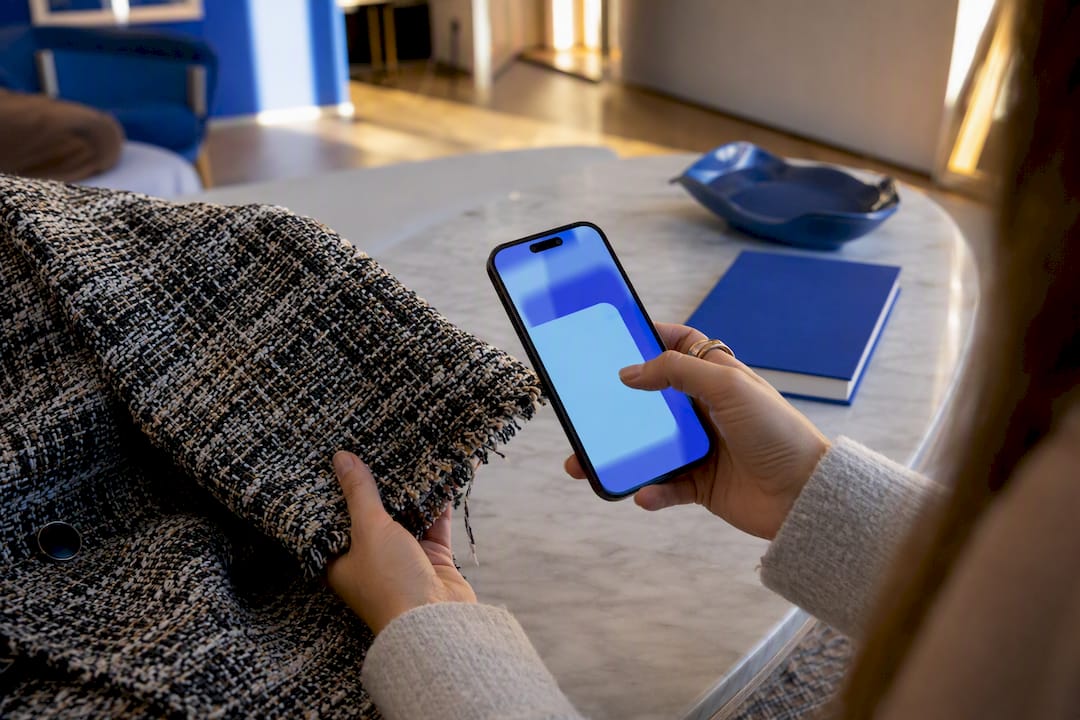
Yes, you can find and buy an item straight from a photo. Snap a picture or screenshot, run it through a visual-search tool, and check the matches against total price and seller reputation before you click buy. Expect strong leads on similar or identical items, not always a perfect match. Aipricesearch adds a price-comparison layer on top of that photo match, which is the step most shoppers skip.
TL;DR:
- Visual search works best with items that have distinguishable features and large indexed catalogs, such as branded clothing, electronics, and jewelry.
- Accurate matching depends heavily on clear, well-lit photos, tight cropping, and using filters like brand or size to refine results.
- The true value in image shopping comes from comparing total costs, including shipping, taxes, and return policies, across multiple listings.
- Factory-direct listings often offer lower prices but usually ship slower, sometimes taking three to four weeks from overseas sources.
- AI price comparison tools like Aipricesearch help find the cheapest verified options and verify seller trustworthiness, increasing savings and reducing scams.
Table of Contents
- How Does Image Search Shopping Actually Work?
- Step-by-Step: From Photo to Purchase
- When Image Search Works Well, and When It Doesn’t
- How to Compare Matches and Vet the Seller
- Which Tools to Try, and Why AI Price Search Should Be Your First Stop
- What to Expect From Photo to Delivery
- What Buying From a Photo Actually Costs
- An Editor’s Take: The Checklist That Actually Matters
- Shop by Photo, Then Let AI Price Search Find the Cheaper Version
- Sources
How Does Image Search Shopping Actually Work?
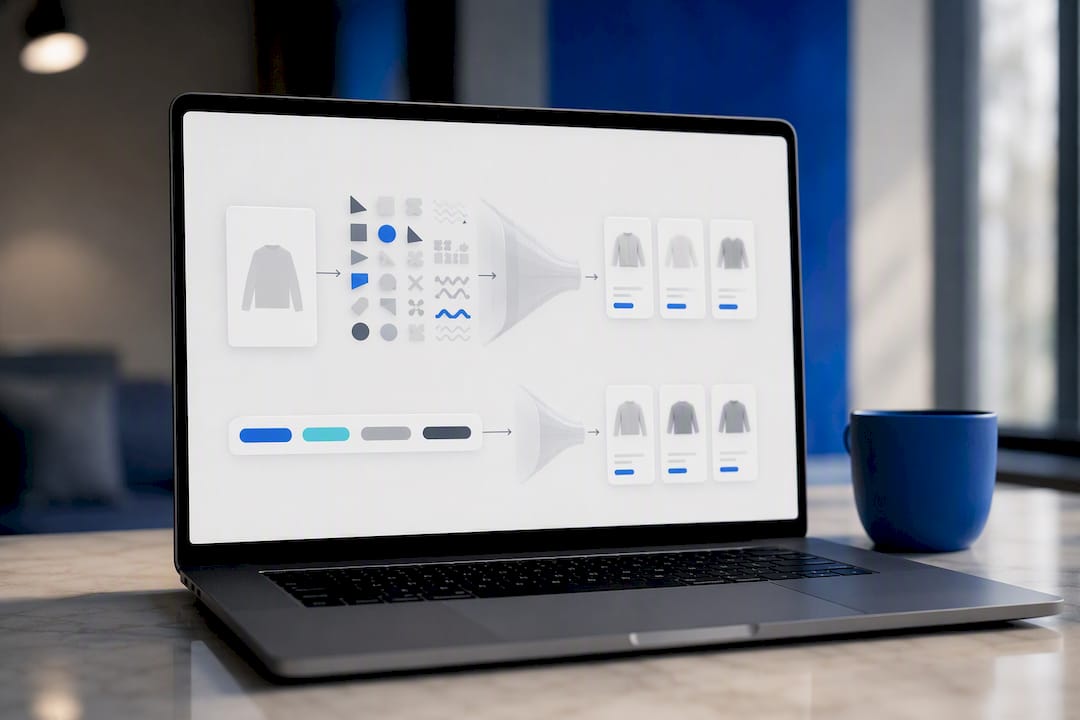
Visual search doesn’t read a photo the way you do. It breaks the image into shapes, colors, textures, and patterns, then compares that signature against a massive index of product photos to find close visual matches. That’s the core mechanic behind Google Lens, which lets you “shop what you see” from a photo, screenshot, or live camera view.
Matching is only half the job. Once the tool finds visually similar items, it leans on metadata, the titles, alt text, and category tags retailers attach to their listings, to decide which matches are actually purchasable products versus random lookalike images from blogs or social posts. That’s why a jacket photo sometimes returns fashion editorials alongside real shopping links.
This is also where your input matters. Add a text filter like the brand name, color, or “size medium,” and the tool narrows a wall of visually similar results down to listings you can actually buy. Some tools are tuned for exact-match precision within one retailer’s catalog. Others, like general-purpose visual search, cast a wider net and surface similar styles or cheaper alternatives when the exact item isn’t indexed. Knowing which mode you’re in changes how you read the results.
Step-by-Step: From Photo to Purchase
Getting from a picture to a checkout page usually takes five moves:
- Shoot or screenshot the item. Use natural light, fill the frame with the product, and avoid busy backgrounds. If you’re photographing a label or tag, take a second close-up shot; a lot of match failures come from blurry logos, not bad angles.
- Upload the image. Every major visual-search tool, whether it’s a phone app, a browser extension, or a marketplace’s built-in camera icon, works roughly the same way: tap the camera icon, select or shoot the photo, and let it process.
- Crop to the item. If your photo includes a whole room or an outfit, select just the product you care about. A tighter crop is the single biggest accuracy fix available to you.
- Add text filters. Type in the brand, color, material, or size if you know it. This step turns a pile of vaguely similar results into a shopping list you can actually use.
- Compare before you commit. Open at least two matching listings, check the total landed price, and glance at the seller’s return policy before deciding.
Pro Tip: Take the label photo even if you think you won’t need it. Model numbers and care-tag codes turn a fuzzy visual guess into an exact-match search.
When Image Search Works Well, and When It Doesn’t
Visual search shines on items with distinct, photographable features and a large indexed catalog behind them. It struggles on anything one-of-a-kind or poorly lit.
Where it usually delivers:
- Clothing and shoes with visible brand marks or distinct patterns
- Mainstream furniture and home decor sold across multiple retailers
- Electronics and gadgets with a visible model number or logo
- Accessories like bags, watches, and jewelry from recognizable brands
Where it usually struggles:
- Handmade or custom items with no matching catalog listing anywhere
- Products with tiny, hard-to-photograph logos
- Heavily modified or altered versions of an original product
- Dark, blurry, or low-resolution photos, especially screenshots of screenshots
When visual search comes up empty, switch tactics. Retake the photo in better light, zoom in on any printed model number, or grab a screenshot of a product page you already found and run a reverse image search on that instead. Sometimes a plain keyword search using a model number beats any photo.
How to Compare Matches and Vet the Seller
A visual match tells you what an item looks like. It says nothing about whether the seller is trustworthy or the price is actually good, and that’s where most shoppers get burned.
The FTC’s consumer guidance is blunt about this: compare total cost, not sticker price, and check the seller’s protections before paying. A $19 top that ships for $14 and takes six weeks to arrive isn’t a deal.
Run through this before checkout:
- Add up the landed price. Item cost plus shipping plus tax, compared across at least two listings, not just the first result.
- Check seller signals. Look at review counts, verified-seller badges, stated return windows, and whether the checkout uses a recognized payment processor.
- Watch for drop-ship red flags. A price far below every other listing, vague or missing seller contact information, and delivery estimates stretching past three or four weeks are the classic combination.
Pro Tip: If a listing looks too good to be true, copy the product’s model number or brand name from the image match and run a quick reverse image search on that specific listing photo. Genuine retailers rarely mind; drop-shippers scraping stock photos usually show up on ten other sites at ten different prices.
Which Tools to Try, and Why AI Price Search Should Be Your First Stop
Visual-search tools fall into a few distinct categories. Each one trades coverage for depth in a different way.
- Phone and browser-integrated search: Tools built into your camera app or browser, available through app stores like Google Play, searches broadly across the web but doesn’t specialize in price comparison.
- Marketplace-native image search: Searching by photo inside a single retailer’s app returns highly accurate matches for that store’s own catalog, but you’ll never see a better price sitting on a competitor’s site.
- Standalone visual-shopping apps and extensions: Desktop add-ons let you right-click any product photo and search it without leaving the page, though coverage depends entirely on which stores the extension indexes.
This is the gap Aipricesearch is built to close. Instead of stopping at “here’s a similar item,” it pairs visual matching with price comparison across verified US retailers and factory-direct sources, and flags seller-reliability signals so you’re not just finding a lookalike, you’re finding the cheapest legitimate version of it. Aipricesearch users have reported saving money this month by comparing listings before checkout instead of buying the first match. Compare that against a Google Shopping search or a Yahoo Shopping listing for the same item and the price spread is usually where the savings hide.
Try it with the same photo you’d use anywhere else, then compare two of the matched listings side by side before you buy.
What to Expect From Photo to Delivery
The photo-to-checkout part of image search shopping is fast, usually seconds to a couple of minutes. The part that takes longer is everything after you click buy, and that’s where a lot of shoppers get impatient with the wrong step.
Once you’ve matched an item and picked a listing, expect the same timeline you’d get from any online purchase: order confirmation within minutes, a shipping notification within one to three business days for most US retailers, and delivery anywhere from two days to two weeks depending on whether you bought from a domestic warehouse or a factory-direct source overseas.
That last distinction matters more with image-matched purchases than with normal shopping, because visual search often surfaces factory-direct listings you wouldn’t have found through a regular search. Those can be cheaper, but they typically ship slower, sometimes three to four weeks, since the item is coming from an overseas facility rather than a US distribution center.
Set your expectations at the listing stage, not after you’ve already paid. If a matched product looks identical to a name-brand item but ships from overseas at half the price, budget extra delivery time rather than assuming it will arrive as fast as a domestic order. Checking the estimated delivery window before checkout, not just the price, is a five-second step that saves a lot of frustration two weeks later.
What Buying From a Photo Actually Costs
The sticker price on a matched listing is rarely the full story. Three cost categories deserve attention before you check out on any image-matched product.
Shipping is the biggest variable. Domestic listings often bundle free or flat-rate shipping, while factory-direct matches frequently charge a separate fee that isn’t obvious until the cart page. Add it to the item price before comparing two listings, not after.
Fees and taxes show up differently depending on where the seller is based. Sales tax applies based on your shipping address regardless of where the item ships from, and some marketplace platforms tack on service or handling fees that only appear at final checkout. That’s exactly the total-cost comparison the FTC recommends making before you commit.
Return policies vary the most, and they matter more with image-matched items because you’re often buying from a seller you’ve never used before. A domestic retailer might offer a 30 or 90 day free return window. A factory-direct listing might require you to ship the item back overseas at your own cost, which can erase whatever you saved on the sticker price. Read the return policy on the specific listing, not the general marketplace policy, since the two often differ.
None of this makes photo-based shopping riskier than typical online shopping. It just means the total cost comparison the FTC recommends matters more, not less, when the seller is unfamiliar.
An Editor’s Take: The Checklist That Actually Matters
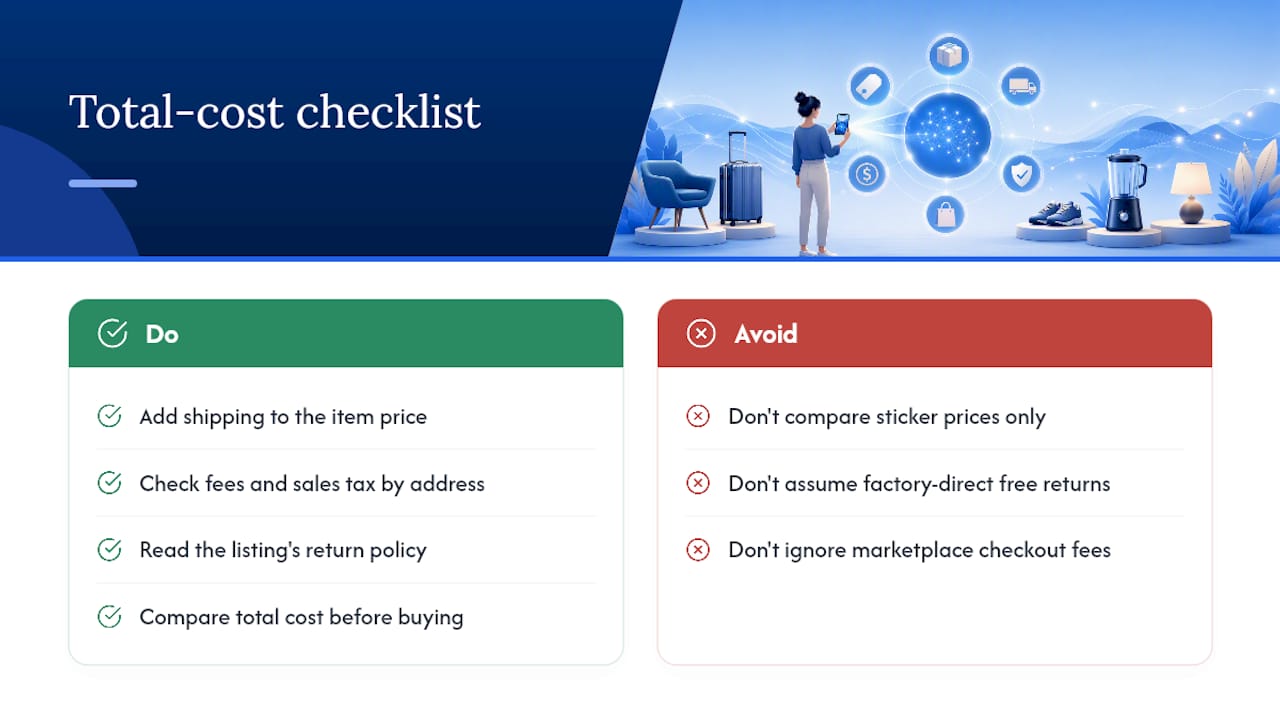
Most guides treat the photo upload as the hard part. It isn’t. Any camera can find a match; the skill is in the sixty seconds after the match appears, when you decide if it’s actually worth buying. A $40 “match” that ships slow from an unverified seller isn’t a win just because the picture matched.
Run this before you click buy:
- Crop tight to the item
- Compare total landed price, not sticker price
- Check the seller’s rating and review count
- Confirm the match is authentic, not a near-miss lookalike
- Read the actual return window on that listing
- Track the price for a few days if you’re not in a rush
That last habit, tracking rather than buying on impulse, is where the real savings show up over time.
— Timothy
Shop by Photo, Then Let AI Price Search Find the Cheaper Version
You’ve got the photo-matching part covered with tools like Lens or a browser extension. What none of those tools do well is tell you whether the match they found is actually the best price, or whether the seller behind it is worth trusting.
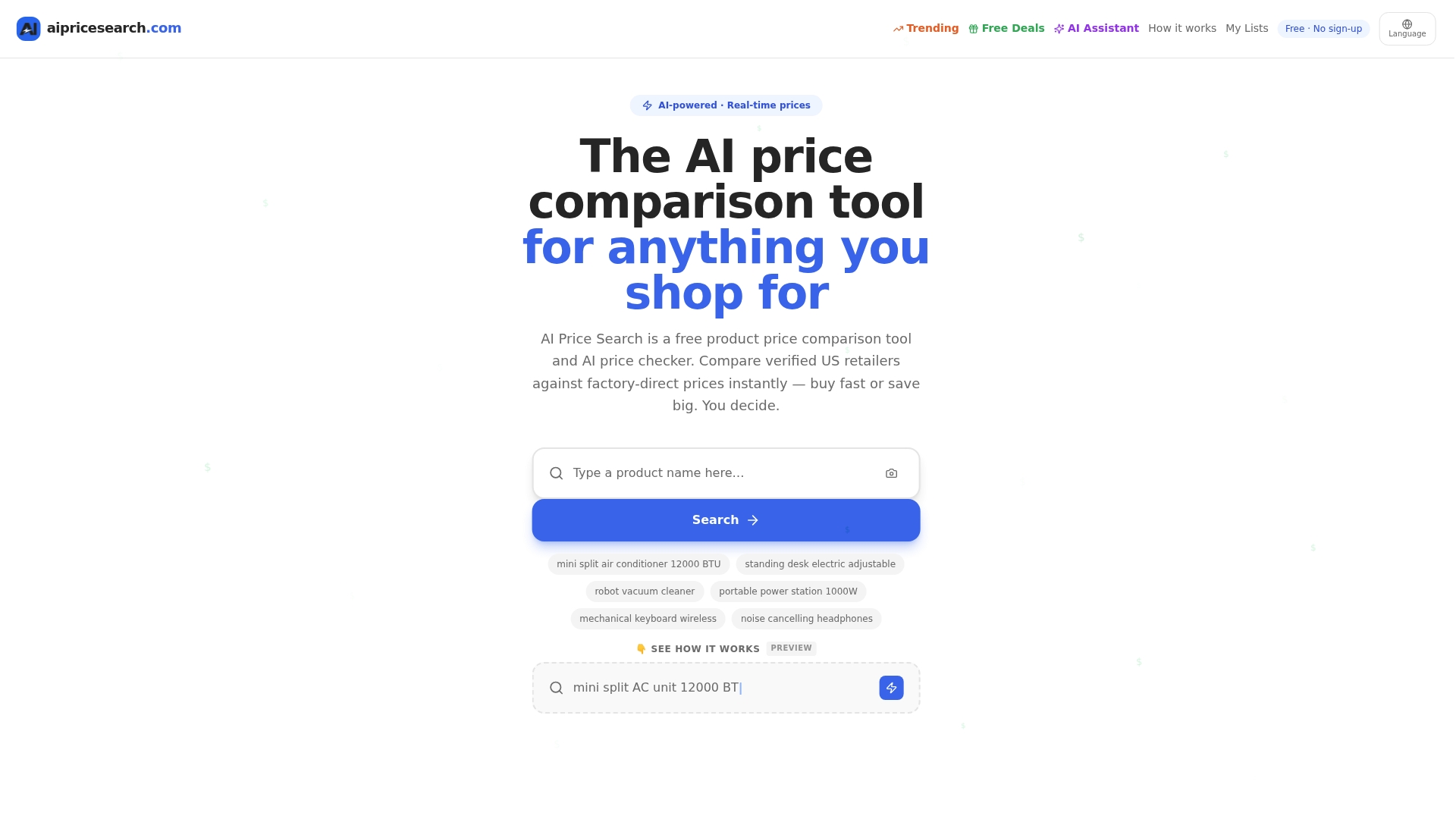
Aipricesearch picks up exactly where visual search leaves off. Upload the same image, and instead of one matched listing, you get a comparison across verified US retailers and factory-direct sources, plus a seller-reliability read so you can skip the drop-ship guesswork entirely. Users comparing prices this way have saved an average of $212 this month, a gap that mostly comes from catching factory-direct alternatives that never show up in a single retailer’s search. Browse the current verified deal listings or head straight to the AI shopping assistant and upload your next photo there before you buy anywhere else.